Pages1

Showing posts with label UBUNTU. Show all posts

Login as "Su" in new ubuntu machines: you are not in sudoer list

While working on UBUNTU  your may incur in a situation where you need to login as root to execute some task.  When you login as sudo you may get error like: "you are not sudoer list". This ideally due to reason  that when you are trying to log for first time, root as a user is not enabled. Do make root as user ans to enable logging as root.  One has to activate root account in new UBUNTU  machine it is not activated by default. 
Execute command to activate root and set password
sudo passwd root
Once password setting successful then one can go ahead to login a root by executing command below. 
su root

UBUNTU: Command axi-cache to list depenedencies of packages

Man:
AXI-CACHE(1)                                               User Commands                                              AXI-CACHE(1)

NAME
       axi-cache - query the Apt Xapian Index

SYNOPSIS
       axi-cache [options] command [args]

DESCRIPTION
       Query the Apt Xapian index.

   Commands:
              search commands:

       axi-cache again [query]
              repeat the last search, possibly adding query terms

       axi-cache help
              show a summary of commands

       axi-cache info
              print information about the apt-xapian-index environment

       axi-cache last [count]
              show the last results again

       axi-cache more [count]
              show more terms from the last search

       axi-cache rdetails pkgname[s]
              show details of reverse relationships for the given packages

       axi-cache search [terms]
              start a new search

              apt-cache front-ends:

       axi-cache depends pkgname[s]
              run apt-cache depends pkgname[s]

       axi-cache madison pkgname[s]
              run apt-cache madison pkgname[s]

       axi-cache policy pkgname[s]
              run apt-cache policy pkgname[s]

       axi-cache rdepends pkgname[s]
              run apt-cache rdepends pkgname[s]

       axi-cache show pkgname[s]
              run apt-cache show pkgname[s]

       axi-cache showpkg pkgname[s]
              run apt-cache showpkg pkgname[s]

OPTIONS
       --version
              show program's version number and exit

       -h, --help
              show this help message and exit

       -s SORT, --sort=SORT
              sort by the given value, as listed in /var/lib/apt-xapian-index/values. Add a '-' to reverse sort order

       --tags show matching tags, rather than packages

       --tabcomplete=TYPE
              suggest words for tab completion of the current command line (type is 'plain' or 'partial')

       --last use 'show --last' to limit tab completion to only the packages from the last search results

       --all  disable  pagination  and  always show all results. Note that search results are normally sorted by relevance, so you
              may find meaningless results at the end of the output

axi-cache 0.44                                            September 2013                                              AXI-CACHE(1)
 Manual page axi-cache(1) line 28/83 (END) (press h for help or q to quit)

--------------------------------------------------------

vikram@vikram-Veriton-Series:~$ axi-cache depends vimvim
  Depends: vim-common
  Depends: vim-runtime
  Depends: libacl1
  Depends: libc6
  Depends: libgpm2
  Depends: libpython2.7
  Depends: libselinux1
  Depends: libtinfo5
  Suggests: <ctags>
    exuberant-ctags
  Suggests: vim-doc
  Suggests: vim-scripts


Another example to list dependencies:
vikram@vikram-Veriton-Series:~$ axi-cache depends qt-sdk
qt-sdk
  Depends: build-essential
  Depends: cmake
  Depends: gdb
  Depends: git-core
    git
  Depends: libqt4-dev
  Depends: libqt4-opengl-dev
  Depends: libphonon-dev
  Depends: qt4-designer
  Depends: qt4-dev-tools
  Depends: qt4-doc
  Depends: qt4-doc-html
  Depends: qt4-qmake
  Depends: qtcreator
  Depends: qtcreator-doc
  Depends: subversion
  Depends: libqtwebkit-dev
  Suggests: libqt4-dbg
  Suggests: libqt4-webkit-dbg
  Suggests: libqt4-xmlpatterns-dbg
------------------------------------------------------

UBUNTU: adding CD-ROM in sources.list

In UBUNTU one has to rely on source.lst for fetching various available updates and interns upgrade. Once modify source.lst file with while running as sudo.

source.lst can be found at "/etc/apt/sources.list"
---------------Content of source.lst ----------------------------------------------------------------
 deb cdrom:[Ubuntu 12.04 LTS _Precise Pangolin_ - Release i386 (20120423)]/ precise main restricted

# See http://help.ubuntu.com/community/UpgradeNotes for how to upgrade to
# newer versions of the distribution.
deb http://in.archive.ubuntu.com/ubuntu/ precise main restricted
deb-src http://in.archive.ubuntu.com/ubuntu/ precise main restricted

## Major bug fix updates produced after the final release of the
## distribution.
deb http://in.archive.ubuntu.com/ubuntu/ precise-updates main restricted
deb-src http://in.archive.ubuntu.com/ubuntu/ precise-updates main restricted

## N.B. software from this repository is ENTIRELY UNSUPPORTED by the Ubuntu
## team. Also, please note that software in universe WILL NOT receive any
## review or updates from the Ubuntu security team.
deb http://in.archive.ubuntu.com/ubuntu/ precise universe
deb-src http://in.archive.ubuntu.com/ubuntu/ precise universe
deb http://in.archive.ubuntu.com/ubuntu/ precise-updates universe
deb-src http://in.archive.ubuntu.com/ubuntu/ precise-updates universe

## N.B. software from this repository is ENTIRELY UNSUPPORTED by the Ubuntu
## team, and may not be under a free licence. Please satisfy yourself as to
## your rights to use the software. Also, please note that software in
## multiverse WILL NOT receive any review or updates from the Ubuntu
## security team.
deb http://in.archive.ubuntu.com/ubuntu/ precise multiverse
deb-src http://in.archive.ubuntu.com/ubuntu/ precise multiverse
deb http://in.archive.ubuntu.com/ubuntu/ precise-updates multiverse
deb-src http://in.archive.ubuntu.com/ubuntu/ precise-updates multiverse

## N.B. software from this repository may not have been tested as
## extensively as that contained in the main release, although it includes
## newer versions of some applications which may provide useful features.
## Also, please note that software in backports WILL NOT receive any review
## or updates from the Ubuntu security team.
deb http://in.archive.ubuntu.com/ubuntu/ precise-backports main restricted universe multiverse
deb-src http://in.archive.ubuntu.com/ubuntu/ precise-backports main restricted universe multiverse

deb http://security.ubuntu.com/ubuntu precise-security main restricted
deb-src http://security.ubuntu.com/ubuntu precise-security main restricted
deb http://security.ubuntu.com/ubuntu precise-security universe
deb-src http://security.ubuntu.com/ubuntu precise-security universe
deb http://security.ubuntu.com/ubuntu precise-security multiverse
deb-src http://security.ubuntu.com/ubuntu precise-security multiverse

## Uncomment the following two lines to add software from Canonical's
## 'partner' repository.
## This software is not part of Ubuntu, but is offered by Canonical and the
## respective vendors as a service to Ubuntu users.
# deb http://archive.canonical.com/ubuntu precise partner
# deb-src http://archive.canonical.com/ubuntu precise partner

## This software is not part of Ubuntu, but is offered by third-party
## developers who want to ship their latest software.
deb http://extras.ubuntu.com/ubuntu precise main
deb-src http://extras.ubuntu.com/ubuntu precise main
deb http://us.archive.ubuntu.com/ubuntu/ saucy universe multiverse
deb-src http://us.archive.ubuntu.com/ubuntu/ saucy universe multiverse
-------------------------------------------------------------------------------------------------------------------

If one has to fetch update from particular website which offer packages for UBUNTU that can be added in this source.lst file and the one can execute below commands:

sudo apt-get update 
sudo apt-get upgrade

To proceed further suppose you have CD-ROM with which you believe can upgrade your system. your add that CD-ROM in source.lst. To perform this
one has to look into "apt-cdrom" command:

vikram@vikram-Veriton-Series:~$ apt-cdrom
apt 0.8.16~exp12ubuntu10.16 for i386 compiled on Nov 15 2013 15:33:51
Usage: apt-cdrom [options] command

apt-cdrom is a tool to add CDROM's to APT's source list. The
CDROM mount point and device information is taken from apt.conf
and /etc/fstab.


Commands:
   add - Add a CDROM
   ident - Report the identity of a CDROM

Options:
  -h   This help text
  -d   CD-ROM mount point
  -r   Rename a recognized CD-ROM
  -m   No mounting
  -f   Fast mode, don't check package files
  -a   Thorough scan mode
  --auto-detect Auto detect drive and mount point
  -c=? Read this configuration file
  -o=? Set an arbitrary configuration option, eg -o dir::cache=/tmp
See fstab(5)

UBUNTU: Using "apt-cache" command for vraious package information

Apt-cahche command offers various services related to information of installed packages:

vikram@vikram-Veriton-Series:~$ apt-cache apt 0.8.16~exp12ubuntu10.16 for i386 compiled on Nov 15 2013 15:33:41
Usage: apt-cache [options] command
       apt-cache [options] showpkg pkg1 [pkg2 ...]
       apt-cache [options] showsrc pkg1 [pkg2 ...]

apt-cache is a low-level tool used to query information
from APT's binary cache files

Commands:
   gencaches - Build both the package and source cache
   showpkg - Show some general information for a single package
   showsrc - Show source records
   stats - Show some basic statistics
   dump - Show the entire file in a terse form
   dumpavail - Print an available file to stdout
   unmet - Show unmet dependencies
   search - Search the package list for a regex pattern
   show - Show a readable record for the package
   depends - Show raw dependency information for a package
   rdepends - Show reverse dependency information for a package
   pkgnames - List the names of all packages in the system
   dotty - Generate package graphs for GraphViz
   xvcg - Generate package graphs for xvcg
   policy - Show policy settings

--------------------------------------------------------------------- 
Exploring various command offering by apt-cache
 
Using APT-Cache command to list dependency of particular pakages:
---------------------------------------------------------------
vikram@vikram-Veriton-Series:~$ apt-c
apt-cache   apt-cdrom   apt-config 
vikram@vikram-Veriton-Series:~$ apt-cache
apt 0.8.16~exp12ubuntu10.16 for i386 compiled on Nov 15 2013 15:33:41
Usage: apt-cache [options] command
       apt-cache [options] showpkg pkg1 [pkg2 ...]
       apt-cache [options] showsrc pkg1 [pkg2 ...]

apt-cache is a low-level tool used to query information
from APT's binary cache files

Commands:
   gencaches - Build both the package and source cache
   showpkg - Show some general information for a single package
   showsrc - Show source records
   stats - Show some basic statistics
   dump - Show the entire file in a terse form
   dumpavail - Print an available file to stdout
   unmet - Show unmet dependencies
   search - Search the package list for a regex pattern
   show - Show a readable record for the package
   depends - Show raw dependency information for a package
   rdepends - Show reverse dependency information for a package
   pkgnames - List the names of all packages in the system
   dotty - Generate package graphs for GraphViz
   xvcg - Generate package graphs for xvcg
   policy - Show policy settings

Options:
  -h   This help text.
  -p=? The package cache.
  -s=? The source cache.
  -q   Disable progress indicator.
  -i   Show only important deps for the unmet command.
  -c=? Read this configuration file
  -o=? Set an arbitrary configuration option, eg -o dir::cache=/tmp
See the apt-cache(8) and apt.conf(5) manual pages for more information.
vikram@vikram-Veriton-Series:~$ apt-cache qt
E: Invalid operation qt
vikram@vikram-Veriton-Series:~$ apt-cache qt4
E: Invalid operation qt4
vikram@vikram-Veriton-Series:~$ apt-cache showpkg qt
Display all 161 possibilities? (y or n)
vikram@vikram-Veriton-Series:~$ apt-cache showpkg qt4-
qt4-bin-dbg         qt4-demos-dbg       qt4-dev-tools       qt4-doc-html        qt4-qmake           qt4-qtconfig
qt4-demos           qt4-designer        qt4-doc             qt4-linguist-tools  qt4-qmlviewer      
vikram@vikram-Veriton-Series:~$ apt-cache showpkg qt4-
qt4-bin-dbg         qt4-demos-dbg       qt4-dev-tools       qt4-doc-html        qt4-qmake           qt4-qtconfig
qt4-demos           qt4-designer        qt4-doc             qt4-linguist-tools  qt4-qmlviewer      
vikram@vikram-Veriton-Series:~$ apt-cache showpkg qt4-de
qt4-demos      qt4-demos-dbg  qt4-designer   qt4-dev-tools 
vikram@vikram-Veriton-Series:~$ apt-cache showpkg qt4-de
qt4-demos      qt4-demos-dbg  qt4-designer   qt4-dev-tools 
vikram@vikram-Veriton-Series:~$ apt-cache showpkg qt4-de
qt4-demos      qt4-demos-dbg  qt4-designer   qt4-dev-tools 
vikram@vikram-Veriton-Series:~$ apt-cache showpkg qt4-de
qt4-demos      qt4-demos-dbg  qt4-designer   qt4-dev-tools 
vikram@vikram-Veriton-Series:~$ apt-cache showpkg qt4-dev-tools
Package: qt4-dev-tools
Versions:
4:4.8.1-0ubuntu4.8 (/var/lib/apt/lists/in.archive.ubuntu.com_ubuntu_dists_precise-updates_main_binary-i386_Packages)
 Description Language:
                 File: /var/lib/apt/lists/in.archive.ubuntu.com_ubuntu_dists_precise_main_binary-i386_Packages
                  MD5: 17ebce770464288a466f921228f3f8f3
 Description Language: en
                 File: /var/lib/apt/lists/in.archive.ubuntu.com_ubuntu_dists_precise_main_i18n_Translation-en
                  MD5: 17ebce770464288a466f921228f3f8f3

4:4.8.1-0ubuntu4.6 (/var/lib/dpkg/status)
 Description Language:
                 File: /var/lib/apt/lists/in.archive.ubuntu.com_ubuntu_dists_precise_main_binary-i386_Packages
                  MD5: 17ebce770464288a466f921228f3f8f3
 Description Language: en
                 File: /var/lib/apt/lists/in.archive.ubuntu.com_ubuntu_dists_precise_main_i18n_Translation-en
                  MD5: 17ebce770464288a466f921228f3f8f3

4:4.8.1-0ubuntu4.5 (/var/lib/apt/lists/security.ubuntu.com_ubuntu_dists_precise-security_main_binary-i386_Packages)
 Description Language:
                 File: /var/lib/apt/lists/in.archive.ubuntu.com_ubuntu_dists_precise_main_binary-i386_Packages
                  MD5: 17ebce770464288a466f921228f3f8f3
 Description Language: en
                 File: /var/lib/apt/lists/in.archive.ubuntu.com_ubuntu_dists_precise_main_i18n_Translation-en
                  MD5: 17ebce770464288a466f921228f3f8f3

4:4.8.1-0ubuntu4 (/var/lib/apt/lists/in.archive.ubuntu.com_ubuntu_dists_precise_main_binary-i386_Packages)
 Description Language:
                 File: /var/lib/apt/lists/in.archive.ubuntu.com_ubuntu_dists_precise_main_binary-i386_Packages
                  MD5: 17ebce770464288a466f921228f3f8f3
 Description Language: en
                 File: /var/lib/apt/lists/in.archive.ubuntu.com_ubuntu_dists_precise_main_i18n_Translation-en
                  MD5: 17ebce770464288a466f921228f3f8f3


Reverse Depends:
  qt4-designer,qt4-dev-tools 4.0.1-2

apt-cache policy qt4-dev-tools  qt4-designer,qt4-dev-tools 4.0.1-2
  qt4-doc,qt4-dev-tools
  qt4-demos,qt4-dev-tools 4:4.8.1-0ubuntu4.6
  libqt4-dev,qt4-dev-tools
  qtikz,qt4-dev-tools
  qtcreator-doc,qt4-dev-tools
  qt-assistant-compat,qt4-dev-tools 4:4.7.0~
  qt-assistant-compat,qt4-dev-tools 4:4.7.0~
  qmf-doc-html,qt4-dev-tools
  qmf-doc,qt4-dev-tools
  pcp-gui,qt4-dev-tools
  paraview-dev,qt4-dev-tools 4.3.3-2
  paraview-dev,qt4-dev-tools
  libsoqt4-dev,qt4-dev-tools
  libcgal-demo,qt4-dev-tools
  kubuntu-full,qt4-dev-tools
  freecad-doc,qt4-dev-tools
  eric,qt4-dev-tools
  qt4-doc,qt4-dev-tools
  qt4-designer,qt4-dev-tools 4.0.1-2
  qt4-designer,qt4-dev-tools 4.0.1-2
  qt4-demos,qt4-dev-tools 4:4.8.1-0ubuntu4.5
  libqt4-dev,qt4-dev-tools
  qtcreator-doc,qt4-dev-tools
  qtcreator,qt4-dev-tools
  paraview-dev,qt4-dev-tools 4.3.3-2
  paraview-dev,qt4-dev-tools
  paraview,qt4-dev-tools
  qt4-doc,qt4-dev-tools
  qt4-designer,qt4-dev-tools 4.0.1-2
  qt4-designer,qt4-dev-tools 4.0.1-2
  qt4-demos,qt4-dev-tools 4:4.8.1-0ubuntu4.8
  libqt4-dev,qt4-dev-tools
  libcgal-demo,qt4-dev-tools
  source-highlight-ide,qt4-dev-tools
  qtikz,qt4-dev-tools
  qtcreator-doc,qt4-dev-tools
  qtcreator,qt4-dev-tools
  qt-sdk,qt4-dev-tools
  qt-assistant-compat,qt4-dev-tools 4:4.7.0~
  qt-assistant-compat,qt4-dev-tools 4:4.7.0~
  qsource-highlight,qt4-dev-tools
  qmf-doc-html,qt4-dev-tools
  qmf-doc,qt4-dev-tools
  qdevelop,qt4-dev-tools
  pcp-gui,qt4-dev-tools
  pcp-doc,qt4-dev-tools
  paraview-dev,qt4-dev-tools 4.3.3-2
  paraview-dev,qt4-dev-tools
  paraview,qt4-dev-tools
  libsoqt4-dev,qt4-dev-tools
  freecad-doc,qt4-dev-tools
  eric,qt4-dev-tools
  qt4-doc,qt4-dev-tools
  qt4-designer,qt4-dev-tools 4.0.1-2
  qt4-designer,qt4-dev-tools 4.0.1-2
  qt4-demos,qt4-dev-tools 4:4.8.1-0ubuntu4
  libqt4-dev,qt4-dev-tools
  kubuntu-full,qt4-dev-tools
Dependencies:
4:4.8.1-0ubuntu4.8 - libqt4-sql-sqlite (0 (null)) libc6 (2 2.4) libgcc1 (2 1:4.1.1) libpng12-0 (2 1.2.13-4) libqt4-dbus (5 4:4.8.1-0ubuntu4.8) libqt4-declarative (5 4:4.8.1-0ubuntu4.8) libqt4-help (5 4:4.8.1-0ubuntu4.8) libqt4-xml (5 4:4.8.1-0ubuntu4.8) libqt4-xmlpatterns (5 4:4.8.1-0ubuntu4.8) libqtcore4 (5 4:4.8.1-0ubuntu4.8) libqtgui4 (5 4:4.8.1-0ubuntu4.8) libstdc++6 (2 4.4.0) libx11-6 (0 (null)) libxtst6 (0 (null)) qt4-doc-html (0 (null)) libqt4-dev (0 (null)) qt4-designer (0 (null)) qt4-doc (0 (null)) qt3-dev-tools-embedded (0 (null)) libqt4-core (3 4.4.0~beta1-1) libqt4-core (3 4.4.0~beta1-1)
4:4.8.1-0ubuntu4.6 - libqt4-sql-sqlite (0 (null)) libc6 (2 2.4) libgcc1 (2 1:4.1.1) libpng12-0 (2 1.2.13-4) libqt4-dbus (5 4:4.8.1-0ubuntu4.6) libqt4-declarative (5 4:4.8.1-0ubuntu4.6) libqt4-help (5 4:4.8.1-0ubuntu4.6) libqt4-xml (5 4:4.8.1-0ubuntu4.6) libqt4-xmlpatterns (5 4:4.8.1-0ubuntu4.6) libqtcore4 (5 4:4.8.1-0ubuntu4.6) libqtgui4 (5 4:4.8.1-0ubuntu4.6) libstdc++6 (2 4.4.0) libx11-6 (0 (null)) libxtst6 (0 (null)) qt4-doc-html (0 (null)) libqt4-dev (0 (null)) qt4-designer (0 (null)) qt4-doc (0 (null)) qt3-dev-tools-embedded (0 (null)) libqt4-core (3 4.4.0~beta1-1) libqt4-core (3 4.4.0~beta1-1)
4:4.8.1-0ubuntu4.5 - libqt4-sql-sqlite (0 (null)) libc6 (2 2.4) libgcc1 (2 1:4.1.1) libpng12-0 (2 1.2.13-4) libqt4-dbus (5 4:4.8.1-0ubuntu4.5) libqt4-declarative (5 4:4.8.1-0ubuntu4.5) libqt4-help (5 4:4.8.1-0ubuntu4.5) libqt4-xml (5 4:4.8.1-0ubuntu4.5) libqt4-xmlpatterns (5 4:4.8.1-0ubuntu4.5) libqtcore4 (5 4:4.8.1-0ubuntu4.5) libqtgui4 (5 4:4.8.1-0ubuntu4.5) libstdc++6 (2 4.4.0) libx11-6 (0 (null)) libxtst6 (0 (null)) qt4-doc-html (0 (null)) libqt4-dev (0 (null)) qt4-designer (0 (null)) qt4-doc (0 (null)) qt3-dev-tools-embedded (0 (null)) libqt4-core (3 4.4.0~beta1-1) libqt4-core (3 4.4.0~beta1-1)
4:4.8.1-0ubuntu4 - libqt4-sql-sqlite (0 (null)) libc6 (2 2.4) libgcc1 (2 1:4.1.1) libpng12-0 (2 1.2.13-4) libqt4-dbus (5 4:4.8.1-0ubuntu4) libqt4-declarative (5 4:4.8.1-0ubuntu4) libqt4-help (5 4:4.8.1-0ubuntu4) libqt4-xml (5 4:4.8.1-0ubuntu4) libqt4-xmlpatterns (5 4:4.8.1-0ubuntu4) libqtcore4 (5 4:4.8.1-0ubuntu4) libqtgui4 (5 4:4.8.1-0ubuntu4) libstdc++6 (2 4.4.0) libx11-6 (0 (null)) libxtst6 (0 (null)) qt4-doc-html (0 (null)) libqt4-dev (0 (null)) qt4-designer (0 (null)) qt4-doc (0 (null)) qt3-dev-tools-embedded (0 (null)) libqt4-core (3 4.4.0~beta1-1) libqt4-core (3 4.4.0~beta1-1)
Provides:
4:4.8.1-0ubuntu4.8 -
4:4.8.1-0ubuntu4.6 -
4:4.8.1-0ubuntu4.5 -
4:4.8.1-0ubuntu4 -
Reverse Provides:
-------------------------------------------------


To get basic description of of packages:

vikram@vikram-Veriton-Series:~$ apt-cache stats qt4-dev-tools
Total package names: 62084 (1,242 k)
Total package structures: 62084 (2,980 k)
  Normal packages: 46697
  Pure virtual packages: 1853
  Single virtual packages: 4080
  Mixed virtual packages: 1241
  Missing: 8213
Total distinct versions: 73982 (4,735 k)
Total distinct descriptions: 104275 (2,503 k)
Total dependencies: 454516 (12.7 M)
Total ver/file relations: 87254 (1,396 k)
Total Desc/File relations: 104275 (1,668 k)
Total Provides mappings: 16315 (326 k)
Total globbed strings: 263 (3,047 )
Total dependency version space: 2,108 k
Total slack space: 58.5 k
Total space accounted for: 22.2 M
vikram@vikram-Veriton-Series:~$ 

--------------------------------------------------------------------


To List out dependency of a package:
vikram@vikram-Veriton-Series:~$ apt-cache depends qt4-dev-tools
qt4-dev-tools
  Depends: libqt4-sql-sqlite
  Depends: libc6
  Depends: libgcc1
  Depends: libpng12-0
  Depends: libqt4-dbus
  Depends: libqt4-declarative
  Depends: libqt4-help
  Depends: libqt4-xml
  Depends: libqt4-xmlpatterns
  Depends: libqtcore4
  Depends: libqtgui4
  Depends: libstdc++6
  Depends: libx11-6
  Depends: libxtst6
  Suggests: qt4-doc-html
  Recommends: libqt4-dev
  Recommends: qt4-designer
  Recommends: qt4-doc
  Conflicts: <qt3-dev-tools-embedded>
  Breaks: libqt4-core
  Replaces: libqt4-core

------------------------------------------------------------------------

Listing out policies of particular package:

vikram@vikram-Veriton-Series:~$ apt-cache policy qt4-dev-tools
qt4-dev-tools:
  Installed: 4:4.8.1-0ubuntu4.6
  Candidate: 4:4.8.1-0ubuntu4.8
  Version table:
     4:4.8.1-0ubuntu4.8 0
        500 http://in.archive.ubuntu.com/ubuntu/ precise-updates/main i386 Packages
 *** 4:4.8.1-0ubuntu4.6 0
        100 /var/lib/dpkg/status
     4:4.8.1-0ubuntu4.5 0
        500 http://security.ubuntu.com/ubuntu/ precise-security/main i386 Packages
     4:4.8.1-0ubuntu4 0
        500 http://in.archive.ubuntu.com/ubuntu/ precise/main i386 Packages


-----------------------------------------------------------------------

finding unmet dependencies
vikram@vikram-Veriton-Series:~$ apt-cache unmet qt4-dev-tools
Package qt4-dev-tools version 4:4.8.1-0ubuntu4.8 has an unmet dep:
 Replaces: libqt4-core (< 4.4.0~beta1-1)

------------------------------------------------------------------
Command: apt-cache search < package name> 
(search - Search the package list for a regex pattern)


vikram@vikram-Veriton-Series:~$ sudo apt-cache search qt4-dev-tools
pyqt4-dev-tools - Development tools for PyQt4
qt4-dev-tools - Qt 4 development tools
qt4-doc - Qt 4 API documentation
freecad-doc - FreeCAD documentation
qmf-doc - Qt Messaging Framework (QMF) - QCH documentation
vikram@vikram-Veriton-Series:~$ 

-------------------------------------------------------------

Listing out Reverse dependency 
Command:apt-cache rdepends < package name>
rdepends - Show reverse dependency information for a package
vikram@vikram-Veriton-Series:~$ sudo apt-cache rdepends qt4-dev-tools
qt4-dev-tools
Reverse Depends:
  qt4-designer
  qt4-designer
  qt4-doc
  qt4-demos
  libqt4-dev
  qtikz
  qtcreator-doc
  qt-assistant-compat
  qt-assistant-compat
  qmf-doc-html
  qmf-doc
  pcp-gui
  paraview-dev
  paraview-dev
  libsoqt4-dev
  libcgal-demo
  kubuntu-full
  freecad-doc
  eric
  qt4-doc
  qt4-designer
  qt4-designer
  qt4-demos
  libqt4-dev
  qtcreator-doc
  qtcreator
  paraview-dev
  paraview-dev
  paraview
  qt4-doc
  qt4-designer
  qt4-designer
  qt4-demos
  libqt4-dev
  libcgal-demo
  source-highlight-ide
  qtikz
  qtcreator-doc
  qtcreator
  qt-sdk
  qt-assistant-compat
  qt-assistant-compat
  qsource-highlight
  qmf-doc-html
  qmf-doc
  qdevelop
  pcp-gui
  pcp-doc
  paraview-dev
  paraview-dev
  paraview
  libsoqt4-dev
  freecad-doc
  eric
  qt4-doc
  qt4-designer
  qt4-designer
  qt4-demos
  libqt4-dev
  kubuntu-full
--------------------------------------------------------------------------------------

Setting Static IP in Ubuntu Desktop: Using /etc/network/interfaces

To change IP to static using: /etc/network/interfaces

Step 1: Open /etc/network/interfaces /* Login as super user to execute this */
 / 

Step 2: Enter below details in file 
----------------------------------------------------------
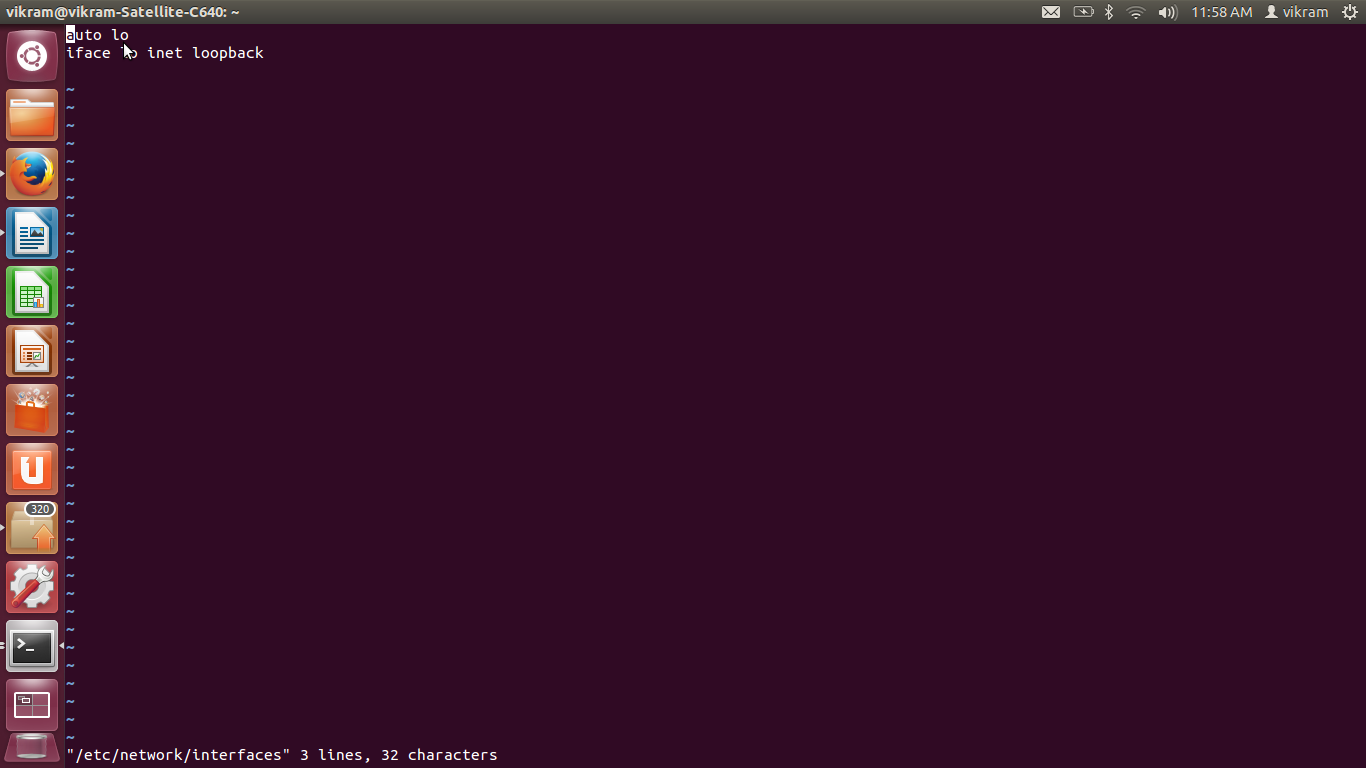
auto eth0
iface eth0 inet static
address 192.168.1.1     /* Address u want */
netmask 255.255.255.0   /* Subnet mask */
gateway 192.168.1.1     /* Default mask */
------------------------------------------------------- 
Step 3: 
Save above changes
Step 4: 
/etc/init.d/networking restart
to Restart service with static IP 


Note: To change this to Dynamic IP again please follow reverse process step4 to be run as it is.

Command to check UBUNTU( Diribution -specific release) version

Command is :   

$lsb_release -a
lsb_release -a
No LSB modules are available.
Distributor ID:    Ubuntu
Description:    Ubuntu 12.04.4 LTS
Release:    12.04
Codename:    precise


 $ man lsb_release(1)

NAME
       lsb_release - print distribution-specific information

SYNOPSIS
       lsb_release [options]

DESCRIPTION
       The lsb_release command provides certain LSB (Linux Standard Base) and distribution-specific information.

       If no options are given, the -v option is assumed.

OPTIONS
       The  program  follows  the  usual GNU command line syntax, with long options starting with two dashes (`--').  A summary of
       options are included below.

       -v, --version
              Show the version of the LSB against which your current installation is compliant.  The version  is  expressed  as  a
              colon separated list of LSB module descriptions.

       -i, --id
             Display the distributor's ID.

       -d, --description
              Display a description of the currently installed distribution.

       -r, --release
              Display the release number of the currently installed distribution.

       -c, --codename
              Display the code name of the currently installed distribution.

       -a, --all
              Display all of the above information.

       -s, --short
              Use the short output format for any information displayed.  This format omits the leading header(s).

       -h, --help
              Show summary of options.

NOTES
       This  is  a  reimplementation  of  the  lsb_release  command provided by the Free Standards Group.  Any bugs are solely the
       responsibility of the author below.

       Detection of systems using a mix of packages from various distributions or releases is something of a black art;  the  cur‐
       rent  heuristic  tends  to assume that the installation is of the earliest distribution which is still being used by .B apt
       but that heuristic is subject to error.

SEE ALSO
       lsb(8)

-------------------------------------------------------------------

Booting Panda Board with UBUNTU

To booting Panda Board with Ubuntu OS. Below is the instruction set to follow
Requirements:
1. Download  binary of UBUNTU OS
2. 8GB SD card
3. UBUNTU machine to facilitates flashing of UBUNTU binary on SDCARD
4. DVI-VGA or HDMI -VGA display cable
5. In case willing to start execution on boot prompt;
      A) USB to serial cable needed.
      B) minicom in UBUNTU PC

Commands to execute to achieve this:
1. Connect SD card with UBUNTU machine
2. Check if it is mounted  use command
    $ df -u
    $ ls -l /dev/sdxx     - x- A,B,C,
                                     x - 0,1,2 etc
----------------------------------------------------------------------------------------------------------


Check the enumerated ports using command “df”, port should be like /dev/sd*1( sda1 may be sdb1, sdb2 , sdc1, sdc2)
Example output should be like below
------------------------------------------------------------------------
vikram@vikram:~/Desktop/omap$ df
Filesystem     1K-blocks     Used Available Use% Mounted on
/dev/sda6      235660072 11186420 212502788   6% /
udev             1991592  1894400     97192  96% /dev
tmpfs             799564      828    798736   1% /run
none                5120        0      5120   0% /run/lock
none             1998908      156   1998752   1% /run/shm
/dev/sda1      241061564   957748 227858560   1% /media/3dc415af-0f2c-4687-9a05-dbe7d0246ec9
/dev/sda1      241061564   957748 227858560   1% /home/vikram/phone
/dev/sdb1        3863040   553708   3309332  15% /media/D0B8-D3A5
------------------------------------------------------------------------------- 

if sdcard partison are mounted; if yes unmount then
 use command
$ umount  /dev/sdxx

3. Write UBUNTU binary on SD card using below command it will a "raw data write"
Go to directory where you kept binary in .gz format and execute  below command:
zcat ./ubuntu-12.04-preinstalled-desktop-armhf+omap4.img.gz |sudo dd bs=4M of=/dev/sdb 

4. run command to sync
    $ sudo sync

5. Takeout card from Ubuntu/LINUX PC and insert in Panda Board SD Card slot, and power up the board.


Looking into Panda Board boot Prompt: 
1.       Install “minicom” in Linux environment 
2.        Connect “DB-9 to USB converter( serial cable) 
A)     DB-9 on Panda Board 
B)      USB on Linux based PC 
C)      Check the enumerated UBS port it should be like /dev/ttyUSB* 
D)     Enumerated port can be check using command 
-          Sudo tail –f /log/syslog 
-          Or using else  “dmesg” command 
3.       Execute Minicom with enumerated port( /dev/ttyUSB*) with baud rate 115200
        Sudo minicom –D /dev/ttyUSB* -b 115200  
You will be able to see Panda board boot prompt in connected Linux machine